
Everyone wants to add AI to their HubSpot workflows. Very few people should be doing it the way they’re doing it.
The promise is real — HubSpot’s Breeze AI can now analyze records, enrich data, score leads, categorize support tickets, and even trigger autonomous agents directly inside your AI HubSpot workflows. The platform has evolved from “AI as a feature” to “AI as a composable building block.” That’s a meaningful shift, and it opens up automation possibilities that didn’t exist even six months ago.
But there’s a gap between what’s possible and what’s practical. We see it constantly — teams rushing to bolt AI onto every workflow they have, only to end up with automations that produce inconsistent outputs, burn through credits, and create more cleanup work than they save.
This guide covers the AI workflow actions that are actually ready for production, how to implement them with guardrails, and where to draw the line between automation and human judgment.
What Breeze AI Can Actually Do Inside Workflows
Before we get into implementation, it helps to understand what’s available. HubSpot’s AI workflow capabilities fall into three categories, and they’re not all created equal.
Data Agent Actions (Production-Ready)
These are the workhorses. The Data Agent workflow actions let you use AI to analyze, summarize, and categorize data from enrolled records — then route that output to other workflow actions like branches, property updates, or notifications.
Leveraging AI HubSpot Workflows for Better Efficiency
There are three flavors:
Data Agent: Custom Prompt lets you write a freeform prompt that runs against enrolled record data. You choose which properties to feed in, write your instructions, and specify whether the output should be a string, number, or boolean. The output then becomes available to downstream actions in the same workflow.
For example, you could enroll a new deal, feed in the deal name, industry, deal amount, and associated company properties, then prompt the agent to categorize the deal as “Enterprise,” “Mid-Market,” or “SMB” based on those inputs. The string output feeds into a branch that routes the deal to the right rep or pipeline.
Data Agent: Research pulls from property data or the five most recent call transcripts associated with the enrolled record. This is useful for summarizing customer interactions — you can prompt it to extract action items from sales calls, identify objections, or flag churn risk signals from support conversations.
Data Agent: Fill Smart Property uses AI to automatically populate smart properties you’ve defined. This is less flexible than Custom Prompt, but it’s simpler to set up if you’ve already configured smart properties in your CRM.
Breeze Agents in Workflows (Use with Caution)
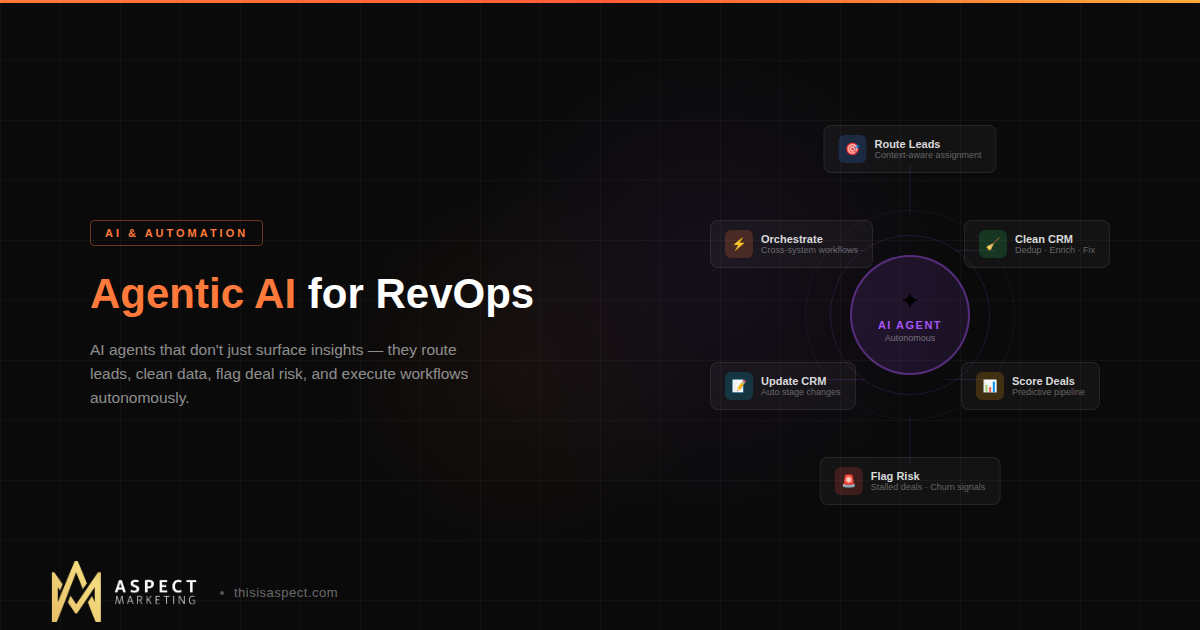
The Run Agent action, which entered private beta in January 2026, lets you trigger full Breeze agents — Customer Agent, Prospecting Agent, and custom agents built in Breeze Studio — directly from workflows. You configure which agent runs, what context it receives, and how outputs feed back into the CRM.
This is powerful but still maturing. The agents now run on GPT-5 (upgraded from GPT-4.1 in January 2026), and audit cards provide transparency into what actions the agent performed. But because agents can take multiple actions autonomously, the blast radius of a misconfigured workflow is larger. Start here only after you’ve mastered the Data Agent actions.
Embedded AI Features (Not Workflow Actions)
Breeze Assistant (the conversational AI companion), content remix, and the various AI writing tools embedded throughout HubSpot are useful, but they’re not workflow actions. You can’t trigger them from an automation. They’re interactive tools designed for individual users, not systematic processes.
The distinction matters because teams often conflate “HubSpot has AI” with “I can automate everything with AI.” The workflow-capable features are a specific, more limited subset.
Five Workflows Worth Building With AI
Here’s where it gets practical. These are the AI-powered workflows we see delivering consistent value for B2B teams on HubSpot Professional or Enterprise tiers.
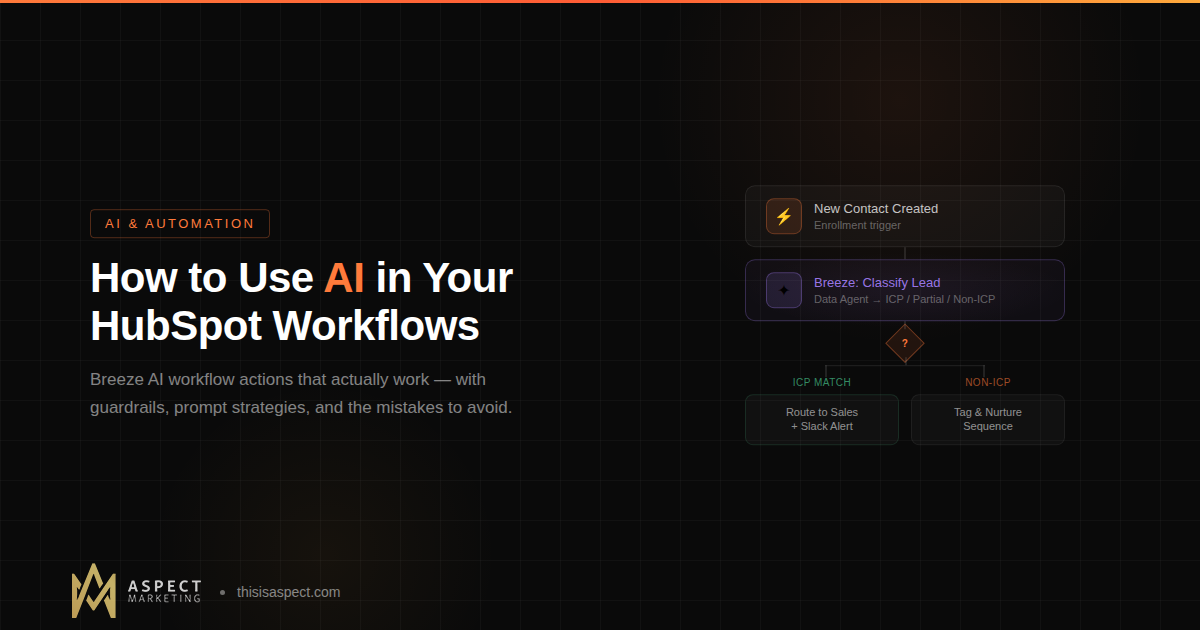
1. Automated Lead Categorization
Trigger: New contact created from form submission or import.
AI Action: Data Agent: Custom Prompt. Feed in company name, industry, employee count, job title, and form responses. Prompt: “Based on the following contact properties, classify this lead as one of: ICP Match, Partial Match, or Non-ICP. Return only the classification.”
Downstream: Branch on the AI output. ICP Match contacts get routed to a sales rep immediately with a Slack notification. Partial Match enters a nurture sequence. Non-ICP gets tagged but not actioned.
Why it works: This replaces manual lead review, which is the bottleneck in most B2B funnels. The key is feeding in enough structured data to make the categorization meaningful. If your CRM properties are sparse or inconsistent, the AI output will be too.
2. Deal Stage Intelligence
Trigger: Deal enters a specific pipeline stage (e.g., “Proposal Sent”).
AI Action: Data Agent: Research using the five most recent call transcripts. Prompt: “Analyze these call transcripts and return a risk assessment. Identify any objections raised, competitors mentioned, or timeline concerns. Return as a single paragraph summary.”
Downstream: Write the summary to a custom property on the deal record. Notify the sales manager if specific risk keywords appear (using a branch that checks for terms like “competitor,” “budget freeze,” or “pushing to next quarter”).
Why it works: Sales managers get a real-time pulse on deal health without listening to every recorded call. The AI handles the tedious summarization; humans make the strategic decisions.
3. Support Ticket Routing and Prioritization
Trigger: New ticket created.
AI Action: Data Agent: Custom Prompt. Feed in ticket subject, description, and associated contact’s lifecycle stage and deal value. Prompt: “Classify this support ticket into one of the following categories: Billing, Technical, Feature Request, Onboarding, or General. Also assign a priority: High (associated with open deal over $10K or Enterprise customer), Medium, or Low. Return as JSON: {category: string, priority: string}.”
Downstream: Branch on category to route to the appropriate team. Branch on priority to set SLA timers and escalation paths.
Why it works: Most ticket routing is either manual (slow) or based on simple keyword matching (inaccurate). The AI can factor in context the keyword approach misses — like the fact that a “password reset” ticket from a prospect with a $50K open deal should be treated very differently than the same ticket from a free trial user.
4. Post-Call Action Item Extraction
Trigger: Call logged with recording in HubSpot.
AI Action: Data Agent: Research using call transcripts. Prompt: “Extract all action items, commitments, and follow-up tasks mentioned in this call. For each item, note who is responsible (sales rep or customer) and any deadline mentioned. Return as a numbered list.”
Downstream: Write the extracted action items to a custom property or note on the associated contact and deal records. Create a follow-up task for the deal owner with the action items in the task description.
Why it works: Every sales team has a problem with post-call follow-through. Reps forget commitments, action items get lost in notebooks, and customers notice. This workflow captures everything automatically and creates accountability.
5. Renewal Risk Scoring
Trigger: Contact or company property update (e.g., NPS score submitted, support ticket volume crosses threshold, product usage drops).
AI Action: Data Agent: Custom Prompt. Feed in NPS score, ticket count last 90 days, last login date, contract renewal date, and deal value. Prompt: “Based on these engagement signals, assess churn risk as High, Medium, or Low. Provide a one-sentence rationale.”
Downstream: High-risk accounts trigger a task for the CSM, an internal Slack alert, and enrollment in a re-engagement sequence. The rationale gets written to a property so the CSM has context before reaching out.
Why it works: Most churn doesn’t happen suddenly — the signals are there weeks or months in advance. This workflow systematizes what good CSMs do intuitively — it’s exactly the kind of cross-team alignment that a RevOps operating model is built to enable. No at-risk account slips through.
The Guardrails That Matter
Here’s where most AI workflow implementations go sideways. The technology works, but without guardrails, it creates more problems than it solves.
Start with One High-Value, Low-Volume Workflow
Don’t AI-enable twenty workflows on day one. Pick one where the manual process is clearly a bottleneck, the volume is manageable (dozens per week, not thousands per day), and the consequences of a wrong AI output are low. Prove it works, measure accuracy for 30 days, then expand. Not sure which workflow to start with? That’s what we help teams figure out.
This isn’t just prudent — it’s cost-effective. HubSpot’s credit-based pricing charges 10 credits per Breeze workflow action. At high volumes, those credits add up fast. A targeted deployment on your highest-impact workflow will show ROI before you scale.
Write Prompts Like You’re Training a New Hire
The biggest mistake we see is vague prompting. “Analyze this contact and tell me if they’re a good fit” is not a production-ready prompt. A production-ready prompt specifies exactly what properties to evaluate, defines the output categories explicitly, provides examples of edge cases, and constrains the output format.
Good prompt: “Based on the following properties — company size, industry, job title, and annual revenue — classify this contact as ICP Match, Partial Match, or Non-ICP. ICP Match requires: B2B SaaS company, 50-500 employees, revenue above $5M, and job title containing VP, Director, or Head of. Partial Match meets 2-3 of these criteria. Non-ICP meets 0-1. Return only the classification label, nothing else.”
Bad prompt: “Is this a good lead?”
Always Have a Human Fallback
Every AI-powered workflow should include a branch for cases where the AI output is ambiguous, empty, or unexpected. If the Data Agent returns null (which happens when credits run out or the prompt fails), your workflow needs to handle that gracefully — typically by routing to a human for manual review rather than taking a default action.
Build your workflows with the assumption that the AI will be wrong 10-15% of the time. Design accordingly.
Clean Data First, AI Second
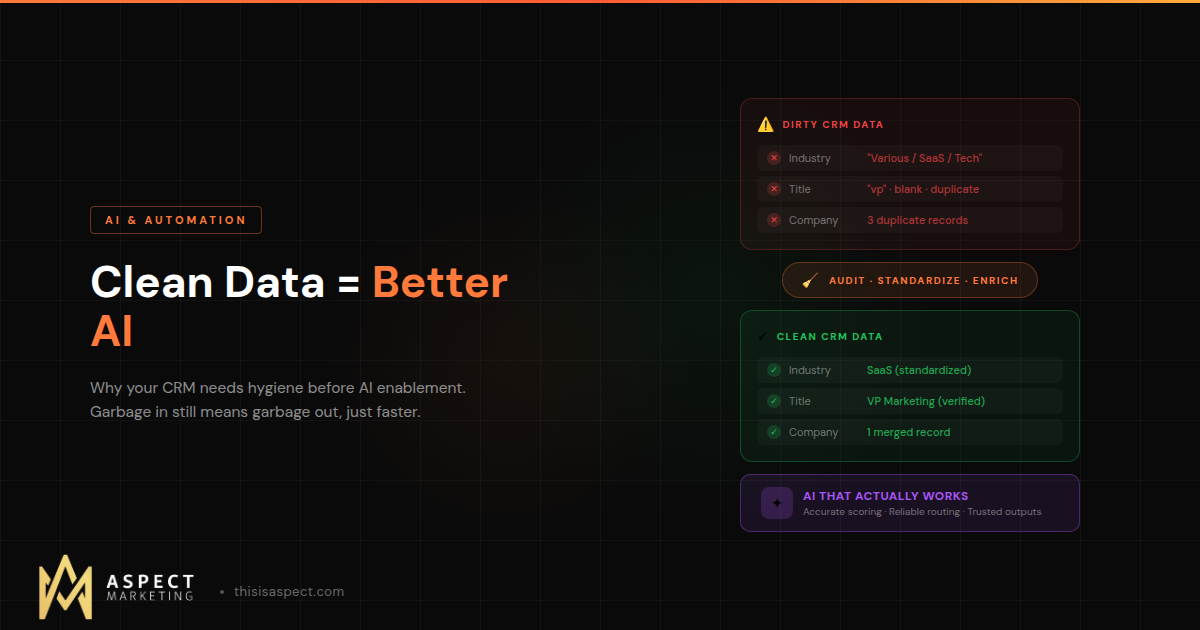
This is the prerequisite that nobody wants to hear. AI workflow actions are only as good as the data they receive. If your CRM is full of duplicate contacts, missing company fields, outdated lifecycle stages, and inconsistent naming conventions, the AI will produce inconsistent outputs. Garbage in, garbage out — but now at the speed of automation. (We go deeper on this in our guide to why clean data is the prerequisite to AI enablement.)
Before you build your first AI workflow, run a data quality audit. Deduplicate your contacts and companies. Standardize your property values. Fill in the gaps in your core records. If you’re still setting up your HubSpot instance, start with our onboarding checklist before layering in AI. This foundation work isn’t glamorous, but it’s the difference between AI that works and AI that creates more cleanup than it saves.
Monitor Outputs, Not Just Enrollment
Most teams monitor whether workflows are running. Few monitor whether the AI outputs are accurate. Build a review process — spot-check AI categorizations weekly, compare AI summaries against actual call recordings, and track the accuracy rate over time. If accuracy drops below 85%, your prompt needs work or your input data has degraded.
HubSpot’s audit cards (available for Breeze Agent actions) help with this, but for Data Agent actions you’ll need to build your own review cadence.
What to Skip (For Now)
Not every AI feature in HubSpot is ready for systematic deployment. Here’s what we’d recommend waiting on.
Long-form content generation in workflows. The Content Agent can draft blog posts and emails, but the output consistently needs heavy editing to match brand voice and accuracy standards. Use it interactively for first drafts, not in automated workflows where quality control is harder.
Prospecting Agent at scale. The Prospecting Agent is impressive in demos but requires exceptionally clean and well-tagged CRM data to produce reliable outreach recommendations. If your data isn’t pristine, the agent’s suggestions will miss the mark.
Complex multi-agent chains. Running one agent from a workflow is fine. Chaining multiple agents together — where Agent A’s output triggers Agent B — introduces compounding error rates. Wait until the tooling matures and you can monitor each step independently.
The Bottom Line
AI in HubSpot workflows is real, it’s useful, and it’s ready for targeted production deployment — but only if you approach it with the same rigor you’d apply to any business process change. Start small, write precise prompts, monitor outputs, and build on a foundation of clean data.
The teams that get this right will automate the tedious work that slows down their revenue operations — lead categorization, call summarization, ticket routing, and risk scoring — while keeping human judgment where it matters most.
The teams that rush in without guardrails will spend more time fixing AI-generated messes than they saved by automating in the first place.
Choose the first path.
At Aspect Marketing, we help B2B teams implement AI-powered HubSpot workflows that actually work — from data cleanup and prompt engineering to full workflow design and ongoing optimization. If you’re ready to add AI to your revenue operations without the chaos, let’s talk.